
Discord Time Converter
Easily convert date and time into Discord timestamp formats. This Discord time converter lets you convert time for Discord events, timers, announcements, reminders, and bot messages with instant preview.
Popular use cases:
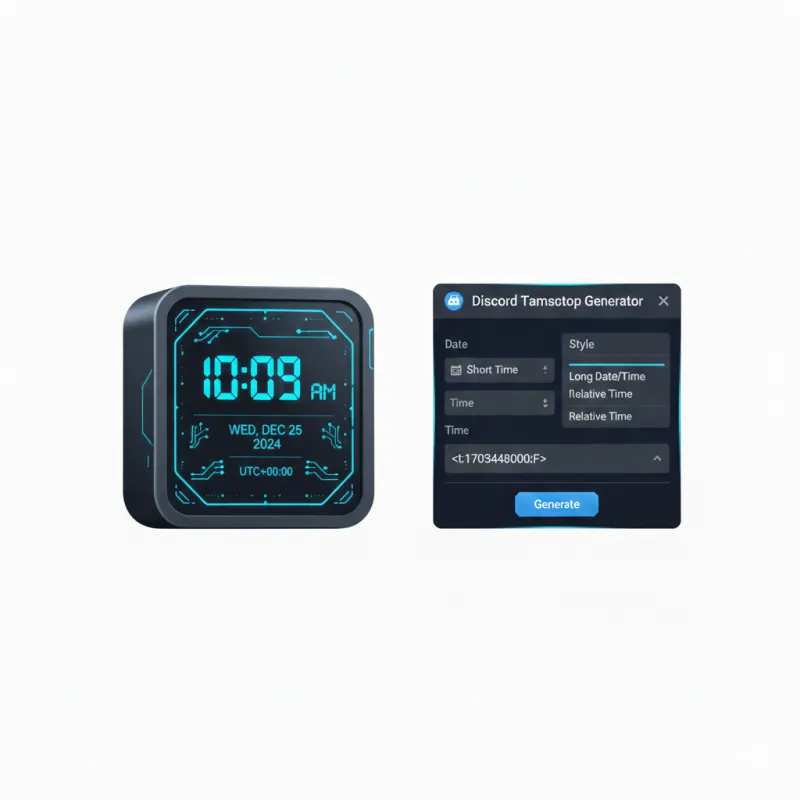
Discord Timestamp Converter & Decoder
Convert dates into Discord tags or reverse decode existing Discord markdown timestamps into local & UTC time.
All 7 Discord Timestamp Markdown Formats
Dynamic countdown or elapsed duration (Recommended)
Shows hour and minute
Shows hour, minute, and seconds
Numeric day/month/year
Full month, day, year
Standard date and short time (Discord Default)
Day of week, full date and time
Engineered for Global Discord Communities
Eliminate timezone confusion permanently when scheduling community gaming events, tournaments, meetings, and Discord bot announcements.
Automatic Local Timezone Sync
Discord dynamic timestamps render automatically in every user’s local computer timezone and language without manual conversion.
100% Client-Side Privacy
All date parsing runs locally inside your browser JavaScript runtime. Your dates and time settings never touch external cloud servers.
Supports All 7 Format Flags
Easily generate Relative (:R), Short Time (:t), Long Time (:T), Short Date (:d), Long Date (:D), Short Full (:f), and Long Full (:F).
Real-Time Discord Chat Preview
Preview exactly how your formatted timestamp markdown badge will display inside a dark Discord chat theme before sending.
Discord Bot & Webhook Ready
Copy clean markdown tags compatible with Python (discord.py), JavaScript (discord.js), C# (DSharpPlus), and Webhooks.
Zero Sign-Up & Zero Fees
Enjoy immediate, unrestricted timestamp generation with no account creation, subscription walls, or daily limits.
How the Discord Converter Works
Generate dynamic Discord timestamp markdown tags in three simple steps.
Select Date & Time
Pick your event date and time using your local clock or select quick presets (+1 Hour, +24 Hours).
Preview Format
View live Discord chat previews for relative countdowns (:R), short times (:t), or long dates (:F).
Copy & Paste in Discord
Click Copy to grab the formatted tag (e.g. <t:1234567890:R>) and paste it straight into Discord.
Discord Timestamp Flag Specifications
Complete reference matrix for all 7 Discord dynamic timestamp flag parameters and markdown syntaxes.
| Flag | Format Name | Markdown Syntax | Example Output | Best Use Case |
|---|---|---|---|---|
| :R | Relative Time | <t:unix:R> | in 2 hours / 5 minutes ago | Event Countdowns (Recommended) |
| :t | Short Time | <t:unix:t> | 16:20 | Daily Standup Time |
| :T | Long Time | <t:unix:T> | 16:20:45 | Precision Esports Matches |
| :d | Short Date | <t:unix:d> | 10/07/2026 | Compact Calendar Dates |
| :D | Long Date | <t:unix:D> | October 7, 2026 | Formal Server Announcements |
| :f | Short Date & Time | <t:unix:f> | October 7, 2026 16:20 | Discord Default Format |
| :F | Long Date & Time | <t:unix:F> | Wednesday, October 7, 2026 16:20 | Full Guild Calendar Events |
Popular Discord Timestamp Utilities
Direct single-click tools for specific Discord event & bot timestamp formats
Mastering Discord Dynamic Timestamps for Global Communities
How Discord Dynamic Timestamps Eliminate Timezone Confusion
When organizing international gaming tournaments, community meetings, or live stream broadcasts across Discord, posting static timezones (such as "8 PM EST" or "3 PM UTC") frequently leads to missed events due to daylight saving time shifts and regional time differences.
Discord solves this problem natively using Unix Epoch Timestamps wrapped in special markdown tags like <t:1700000000:F>. When sent in chat, Discord’s client automatically translates the timestamp into every user’s exact local device time and language preference!
Understanding the Unix Epoch Architecture in Discord Markdown
A Unix timestamp represents the number of total seconds elapsed since January 1, 1970 UTC (the Unix Epoch). Discord reads this numeric value and applies custom format flags to display formatted date strings or real-time relative countdowns (e.g. in 15 minutes or 3 days ago).
Embedding Timestamps in Discord Bots & Webhooks (Python, JS, C#)
Discord bot developers can easily generate dynamic timestamps inside rich embeds. For example, in discord.js (v14):
const timestamp = Math.floor(Date.now() / 1000);
message.channel.send(`Event starts <t:${timestamp}:R>`);
In discord.py:
import time
timestamp = int(time.time())
await ctx.send(f"Event starts <t:{timestamp}:R>")
Relative Timestamps vs. Absolute Date Formats for Gaming Events
Use the :R relative flag for upcoming events starting within 24 hours to give community members a live ticking countdown. For events scheduled weeks in advance, pair :F (Long Date & Time) with :R (Relative Time) so members see both the exact calendar date and the remaining duration.
Client-Side Privacy: Why Browser Timestamp Generation is Faster & Safer
Agenvix converts your local date and time inputs directly inside your browser’s V8 JavaScript engine. Your event schedules and time preferences never touch an external web server or database log.
Everything you need to know about Discord timestamps
Clear answers about our secure online Discord time converter, optimized for gamers, bot developers, and community managers.
How does a Discord timestamp work?
A Discord timestamp wraps a Unix epoch timestamp in markdown code (e.g. <t:1234567890:R>). Discord reads this code and automatically renders the date and time in every viewer's local timezone.
Is this Discord time converter free to use?
Yes, our Discord timestamp generator is 100% free with no subscriptions, credit cards, or conversion limits.
What does the :R flag mean in Discord timestamps?
The :R flag generates a relative timestamp that displays a live countdown (e.g. 'in 15 minutes' or '2 hours ago').
How do I send a dynamic timestamp on Discord?
Select your date and time in our converter, click Copy on your desired format, and paste the code directly into any Discord message or bot embed.
Will Discord timestamps automatically adjust for timezones?
Yes! Every member who views your message on Discord will see the time formatted in their local timezone automatically.
Can I use Discord timestamps in Discord bot embeds and webhooks?
Yes. Discord timestamps work in chat messages, bot embeds, webhook announcements, forum posts, and server rules.
What are all the available Discord timestamp format flags?
Discord supports 7 flags: :t (Short Time), :T (Long Time), :d (Short Date), :D (Long Date), :f (Short Full), :F (Long Full), and :R (Relative Time).
Are my date and time inputs stored on a server?
No. All conversion logic runs 100% locally in your web browser. No data is sent to external servers.
Can I calculate timestamps for events in the past or future?
Yes. You can select any date and time in the past or future to calculate Unix timestamps and Discord markdown tags.
What is Unix Epoch time?
Unix epoch time is the total number of seconds elapsed since 00:00:00 UTC on January 1, 1970.
How do I copy a Discord timestamp code?
Simply click the 'Copy' button next to your chosen timestamp format to copy the markdown tag directly to your clipboard.
Why is my Discord timestamp showing as raw text?
Ensure you include the leading '<t:' and trailing '>' characters without extra spaces or quotes (e.g. <t:1700000000:R>).
Does this tool work on mobile devices and tablets?
Yes, Agenvix is fully responsive and works on smartphones, tablets, iPads, and desktop computers.
Can I schedule Discord gaming events using timestamps?
Yes! Using dynamic timestamps ensures all gamers in your server know the exact event start time relative to their local clock.
How do I convert UTC time to Discord timestamp?
Select your target UTC date and time in the converter; the tool computes the exact Unix epoch seconds automatically.
Do I need to install any software or Discord extension?
No installation is required. The tool runs directly in your web browser.
Is there a limit to how many timestamps I can generate?
No. There are zero limits or quotas. You can generate unlimited timestamps.
Why is browser client-side timestamp generation safer?
Processing data locally inside your browser memory ensures complete privacy and zero network delay.
Explore Related Developer Utilities
Discover more free, zero-log web utilities engineered for speed and privacy.
QR Code Generator with Logo
Permanent static QR codes with custom logos, gradients, and lossless vector SVG export.
Icon Pack Generator
Generate favicon suites (16x16 up to 512x512) and HTML meta code from any image.
Base64 Encoder & Decoder
Convert text, strings, or images into Base64 Data URIs with zero server logging.
JSON Formatter & Validator
Prettify, format, repair syntax errors, and convert raw JSON data strings into trees.
SHA-256 Hash Generator
Generate cryptographic SHA-256, SHA-512, and HMAC checksums using Web Crypto API.
Morse Code Generator
Translate text to Morse code signals with Web Audio sound playback and visual flashes.