Generate Custom Icon Packs Instantly
Choose your icons, customize sizes and colors, and download your complete icon pack for web, apps, or UI projects. Generate favicons, Apple Touch icons, and PWA manifests in one click.
Included resolutions & formats:
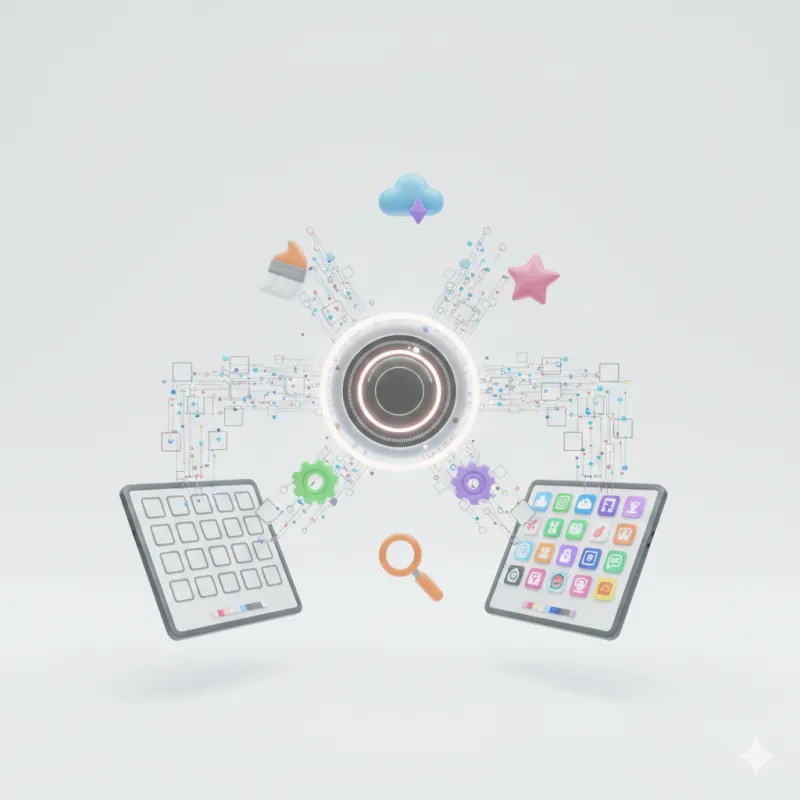
Create Your Complete App Icon Suite
Upload Logo or Icon Graphic
Drag and drop a 512×512 PNG, SVG, JPG, or WebP image here to generate all required web sizes.
Engineered for Professional App Developers
Generate pixel-perfect multi-size icons for web, iOS, Android PWAs, and Windows desktop apps with 100% browser canvas privacy.
Multi-Resolution Canvas Suite
Generate 16x16, 32x32, 48x48, 180x180 Apple Touch, 192x192 Android PWA, 512x512 splash icons, and ICO formats instantly.
100% Client-Side Privacy
All graphic scaling, padding fills, corner clipping, and ZIP archive generation execute locally inside your browser runtime.
Custom Colors & Shapes
Customize icon background fills (transparent, dark, light, amber, or custom hex) and adjust shape corner radius from square to circle.
Copy-Ready HTML Meta & Webmanifest
Instant one-click copy buttons for HTML <head> icon links and site.webmanifest JSON for immediate PWA deployment.
One-Click ZIP Export
Download all generated PNG icons, ICO container, site.webmanifest file, and HTML setup instructions in a clean ZIP package.
Zero Sign-Up & Zero Fees
Enjoy unlimited icon pack creation without creating accounts, paying subscriptions, or dealing with watermarks.
How the Icon Pack Generator Works
Generate multi-resolution favicons and app icons in three simple steps.
Upload Logo or Graphic
Select a high-res PNG, SVG, or WebP logo file (preferably 512×512 square).
Customize Colors & Shapes
Choose background color fills, corner radius shapes (Square to Circle), and inner padding.
Download Zip & Copy Code
Download your complete ZIP package and copy pre-built HTML head meta tags directly into your app.
Icon Pack Resolution Matrix
Complete specification reference table for web favicons, Apple iOS touch icons, Android PWAs, and desktop app formats.
| Resolution | Target Platform | File Name | MIME Type | HTML & Meta Tag Syntax |
|---|---|---|---|---|
| 16 × 16 px | Standard Desktop Tab | favicon-16x16.png | image/png | <link rel="icon" sizes="16x16" href="/favicon-16x16.png"> |
| 32 × 32 px | Retina Tab Favicon (Recommended) | favicon-32x32.png | image/png | <link rel="icon" sizes="32x32" href="/favicon-32x32.png"> |
| 48 × 48 px | Windows Taskbar & Desktop | favicon-48x48.png | image/png | <link rel="icon" sizes="48x48" href="/favicon-48x48.png"> |
| 180 × 180 px | Apple iOS Touch Icon | apple-touch-icon.png | image/png | <link rel="apple-touch-icon" sizes="180x180" href="/apple-touch-icon.png"> |
| 192 × 192 px | Android PWA Home Launcher | android-chrome-192x192.png | image/png | site.webmanifest ("sizes": "192x192") |
| 512 × 512 px | Android PWA Splash & Store | android-chrome-512x512.png | image/png | site.webmanifest ("sizes": "512x512") |
| 32 × 32 ICO | Legacy Root favicon.ico | favicon.ico | image/x-icon | <link rel="shortcut icon" href="/favicon.ico"> |
Popular Icon Pack Utilities
Direct single-click tools for specific app icon, webmanifest, and favicon formats
Mastering Multi-Resolution Favicons & PWA Icons for Web & Mobile
The Evolution of Favicons: From 16x16 ICO to Progressive Web Apps
In the early days of the Web, a favicon was simply a 16×16 pixel favicon.ico file dropped into a server root directory. Today, modern web applications run across high-DPI desktop Retina displays, mobile iOS devices, Android tablets, smart TVs, and Progressive Web Apps (PWAs).
To deliver a crisp, professional user experience across all operating systems without blurry pixels, web developers must generate a comprehensive multi-resolution icon suite including 16x16, 32x32, 48x48, 180x180, 192x192, and 512x512 files.
Apple iOS Touch Icons (180x180) vs Android PWA Icons (192x192 & 512x512)
When users tap "Add to Home Screen" on an iPhone or iPad, Apple iOS looks specifically for apple-touch-icon.png (180x180 pixels). iOS automatically applies subtle corner radii if you export a square image.
Conversely, Android devices and Chrome PWA installations rely on the site.webmanifest specification. The manifest requires both 192x192 (standard launcher icon) and 512x512 (splash screen display when launching the app offline).
How to Implement Favicons in Modern Frameworks (Next.js, React, WordPress)
In standard HTML5 templates, paste the following snippet inside your <head> element:
<!-- Favicon Links -->
<link rel="icon" type="image/png" sizes="32x32" href="/favicon-32x32.png">
<link rel="icon" type="image/png" sizes="16x16" href="/favicon-16x16.png">
<link rel="shortcut icon" href="/favicon.ico">
<link rel="apple-touch-icon" sizes="180x180" href="/apple-touch-icon.png">
<link rel="manifest" href="/site.webmanifest">
<meta name="theme-color" content="#d97706">
For Next.js App Router projects, place favicon.ico, icon.png (32x32), and apple-icon.png (180x180) directly inside the app/ folder, or link them dynamically in layout.tsx metadata.
Everything you need to know about Icon Pack Generation
Clear answers regarding favicon resolutions, PWA manifests, Apple iOS touch icons, and browser privacy.
What is an Icon Pack Generator?
An Icon Pack Generator is an online tool that converts any uploaded logo, PNG, JPG, or SVG graphic into a complete multi-resolution favicon and app icon suite (16x16 up to 512x512) for web browsers, iOS devices, and Android PWAs.
What resolutions are included in the generated icon pack?
Our tool exports 16x16 (legacy browser tab), 32x32 (retina tab), 48x48 (desktop shortcut), 180x180 (Apple Touch iOS home screen), 192x192 (Android PWA launcher), 512x512 (PWA splash screen & Play Store), and favicon.ico.
Why do I need an apple-touch-icon.png file?
Apple iOS devices (iPhones and iPads) use the 180x180 apple-touch-icon.png file when users add your website or web app to their mobile home screen.
What is a site.webmanifest file?
The site.webmanifest is a JSON file that tells Android devices, Chrome, and PWA browsers how your app should appear when installed on mobile devices.
Can I generate icons with custom background colors and rounded corners?
Yes! You can choose transparent, white, dark, brand amber, or custom hex background fill, as well as set corner radius (Square, Soft Rounded, Rounded, or Circle).
Is my uploaded logo uploaded to external servers?
No. All image resizing, canvas rendering, and ZIP compression execute 100% locally inside your web browser. Your graphics never touch cloud servers.
What input file formats are supported?
You can upload PNG, JPG, JPEG, WebP, SVG vector logos, GIF, and BMP graphics.
How do I add the generated favicon to my website?
Upload the exported PNG & ICO files to your root folder, then paste the provided HTML <head> meta tags into your HTML template.
Does this generator support ICO files for legacy Internet Explorer & Windows?
Yes! The output suite includes favicon.ico for 100% backwards compatibility with legacy enterprise browsers.
What is the recommended source image size?
For best results, upload a high-resolution square graphic (512x512 or 1024x1024 pixels) with a transparent background.
Is this icon pack generator completely free?
Yes, Agenvix Icon Pack Generator is 100% free with unlimited generation and no registration required.
Can I generate icons for Next.js, React, or WordPress sites?
Yes, the exported icons and webmanifest work seamlessly across Next.js App Router, React, Vue, WordPress, Shopify, and static HTML websites.
How does icon padding work in this tool?
Icon padding adds inner spacing around your logo so it sits comfortably inside rounded or circular icon backgrounds without touching edge borders.
Does it support dark mode theme-color meta tags?
Yes, the generated HTML head code includes theme-color meta tags ready for dark and light browser navigation bars.
Can I download all generated icon files in a single ZIP file?
Yes! Clicking "Download Complete Icon Pack (.ZIP)" bundles all PNG/ICO sizes, site.webmanifest, and head snippet into one zip package.
What happens if my logo is rectangular instead of square?
Our canvas engine automatically centers rectangular images within a square canvas, maintaining original aspect ratio without distortion.
Is there a limit on how many icon packs I can create?
No limits. You can generate unlimited icon packs for all your personal, client, and client web projects.
Why should I use WebP or PNG for favicons instead of old ICO?
Modern browsers prefer 32x32 PNG favicons because they offer smaller file sizes, crisp sharp pixels, and full 32-bit alpha transparency.
Explore Related Developer Utilities
Discover more free, zero-log web utilities engineered for speed and privacy.
QR Code Generator with Logo
Permanent static QR codes with custom logos, gradients, and lossless vector SVG export.
Base64 Encoder & Decoder
Convert text, strings, or images into Base64 Data URIs with zero server logging.
JSON Formatter & Validator
Prettify, format, repair syntax errors, and convert raw JSON data strings into trees.
SHA-256 Hash Generator
Generate cryptographic SHA-256, SHA-512, and HMAC checksums using Web Crypto API.
Discord Time Converter
Convert timestamps into Discord dynamic markdown formats (<t:unix:R>).
Morse Code Generator
Translate text to Morse code signals with Web Audio sound playback and visual flashes.